
 In the modern digital world, almost every business needs an online presence. Whether it is a small business, an e-commerce store, a personal blog, or a large company website, understanding how people interact with a website is extremely important. Simply attracting visitors is not enough. Businesses need to know where visitors come from, what they do on the website, which pages they prefer, and whether they complete important actions.
This is where Google Analytics Web Analytics becomes valuable. Google Analytics is one of the most widely used tools for understanding website and app performance. It helps digital marketers and website owners collect valuable information about visitors and use that information to make better decisions.
In this guide, we will explore what Google Analytics Web Analytics means, why it is important, how it works, the major metrics you should understand, and how businesses can use analytics to improve their digital marketing performance.
What Is Google Analytics Web Analytics?
https://www.analyticsmates.com/blog
Google Analytics Web Analytics refers to the process of using Google Analytics to collect, measure, and analyze information about website users and their interactions.
Web analytics is generally the process of collecting website data and turning it into useful insights. Google Analytics makes this process easier by providing reports about users, traffic sources, engagement, conversions, and other website activities.
For example, imagine that you have a website for an online clothing store. You may know that thousands of people are visiting your website, but you may not know:
- Where those visitors came from
- Which products they viewed
- Which pages received the most attention
- How many visitors made a purchase
- Which marketing campaign generated the most customers
- Whether visitors are using mobile phones or computers
With Google Analytics Web Analytics, you can analyze this information and understand how users interact with your website.
Why Is Google Analytics Web Analytics Important?
 https://www.semrush.com/blog/google-analytics/One of the biggest advantages of Google Analytics Web Analytics is that it helps businesses make decisions based on data instead of assumptions.
Without analytics, a business owner might think that a particular marketing campaign is successful simply because it receives many clicks. However, analytics may show that those visitors are not completing purchases or enquiries.
This difference is important.
Google Analytics allows businesses to look beyond simple traffic numbers and understand the quality of their website traffic.
1. Understand Your Audience
Google Analytics helps businesses understand their audience and their behavior. You can analyze information about users and see how they interact with your website.
Understanding your audience allows you to create better content, improve user experience, and develop marketing campaigns that are more relevant to your customers.
2. Measure Website Traffic
Website traffic is one of the basic areas of web analytics. Google Analytics can help you understand how many users are visiting your website and how they are reaching it.
Visitors may come through search engines, social media, advertisements, email campaigns, referrals, or directly by entering the website address.
This information helps marketers identify which channels are contributing to website growth.
3. Track User Engagement
Getting visitors to your website is only the beginning. You also need to understand what they do after arriving.
Google Analytics Web Analytics can help marketers analyze user engagement and identify pages or content that attract attention.
For example, if visitors frequently leave a particular page without taking further action, the business may need to improve the content, design, navigation, or call-to-action.
4. Measure Conversions
Conversions are extremely important for digital marketing.
A conversion can be different depending on the type of website. For an e-commerce website, a purchase may be a conversion. For a service business, submitting a contact form may be a conversion. For a blog, signing up for a newsletter could be considered a conversion.
By tracking conversions, businesses can understand whether their website is achieving its goals.
To understand Google Analytics Web Analytics, it is useful to understand the basic process behind analytics.
A website is connected to Google Analytics using an analytics tracking setup. When visitors interact with the website, relevant information about those interactions can be collected and processed.
The collected information can then be presented through reports and analysis tools.
For example, when someone visits a website, analytics can help provide information about the visit, such as the traffic source, pages viewed, engagement, and important actions completed.
Marketers can then use this information to evaluate website performance.
Important Google Analytics Metrics
 Understanding the main metrics is an important part of learning Google Analytics Web Analytics.
Users
Users represent people who interact with your website or app. This metric helps you understand the size of your audience.
For example, if your website receives 5,000 users during a particular period, it means your website attracted that number of users according to the measurement and reporting configuration.
Sessions
A session represents a period of activity involving a user on your website or app.
Sessions can help you understand how frequently people interact with your website.
Views
Views help indicate how many times pages or screens have been viewed.
If a particular blog post receives many views, it may indicate that the topic is attracting interest from your audience.
Engagement
Engagement helps marketers understand how actively users interact with a website or app.
High engagement can be a positive sign that visitors are finding the website useful and relevant.
Conversions
Conversions represent important actions completed by users.
Examples include:
- Purchasing a product
- Completing a registration
- Submitting a contact form
- Signing up for a newsletter
- Downloading a resource
Tracking conversions helps businesses measure the effectiveness of their website and marketing activities.
Google Analytics and SEO
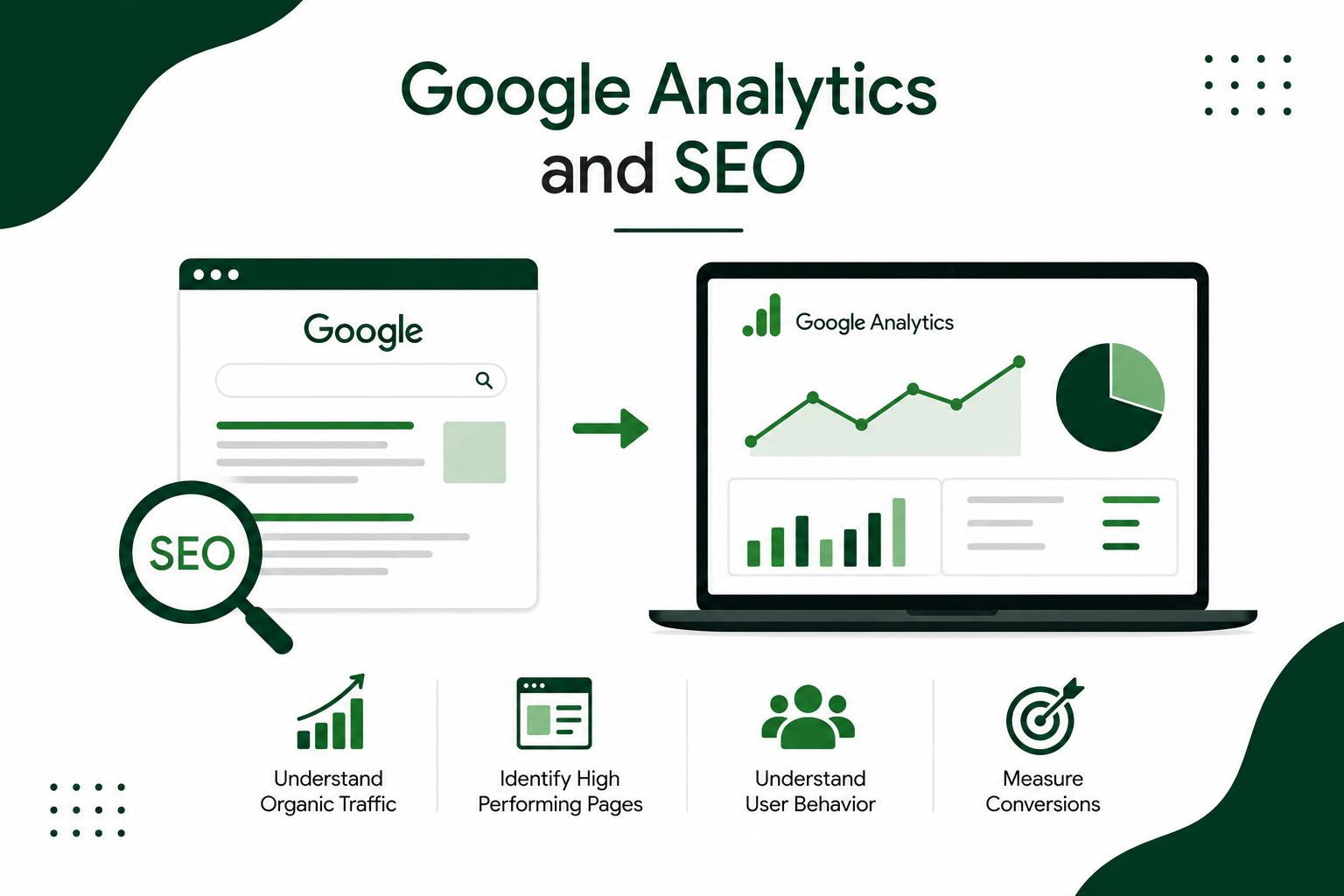
SEO and web analytics are closely connected. While Google Analytics is not an SEO tool by itself, it can provide valuable information that supports SEO analysis.
For example, marketers can analyze organic traffic and understand how visitors arriving from search engines behave on the website.
They can identify pages that attract organic visitors and analyze whether those visitors engage with the content or complete important actions.
However, it is important to understand the difference between Google Analytics and Google Search Console.
Google Analytics focuses mainly on user activity and behavior on a website or app. Google Search Console focuses more on a website’s performance and presence in Google Search.
Using both tools together can provide a broader understanding of search and website performance.
Google Analytics for Digital Marketing
Google Analytics and SEO
Google Analytics and SEO work together to help website owners understand how their website performs in search and how visitors behave after reaching the site. Google Analytics is mainly used to analyze website traffic, user behavior, engagement, and conversions, while SEO focuses on improving a website’s visibility in search engine results.
Google Analytics does not directly improve a website’s Google ranking. Instead, Google Analytics provides useful data that SEO professionals can use to understand whether their SEO efforts are bringing valuable visitors to the website.
For example, if a website receives a large amount of organic traffic, Google Analytics can help you understand what those visitors do after arriving. You can analyze which pages they visit, how engaged they are, and whether they complete important actions such as submitting a form, signing up, or making a purchase.
How Google Analytics Helps with SEO
1. Understand Organic Traffic
Google Analytics helps you analyze visitors who arrive through organic search. By monitoring organic traffic, you can understand whether your SEO strategy is attracting visitors over time.
For example, if organic traffic increases after publishing several SEO-optimized articles, Google Analytics can help you evaluate the resulting website activity.
2. Identify High-Performing Pages
With Google Analytics, you can identify pages that attract visitors and generate strong engagement. These pages can provide useful insights into the type of content your audience finds valuable.
You can also identify pages that receive traffic but have low engagement. These pages may need improvements to their content, structure, navigation, or user experience.
3. Understand User Behavior
SEO is not only about bringing visitors to a website. It is also important to understand what visitors do after they arrive.
Google Analytics helps you study user behavior, including which pages users view and how they interact with your website. This information can help you improve your content and website experience.
4. Measure Conversions
Google Analytics can help connect website traffic with important business outcomes. For example, you can measure actions such as purchases, form submissions, registrations, or other valuable interactions.
This helps you understand whether your SEO traffic is contributing to your actual business goals rather than simply increasing visitor numbers.
5. Find Content Opportunities
Google Analytics can show which pages and topics attract the most visitors and engagement. SEO professionals can use these insights to identify opportunities for creating similar or related content.
For example, if one blog article consistently attracts organic visitors, you could create additional useful content around related topics.
Google Analytics and SEO Work Together
The relationship between Google Analytics and SEO can be summarized simply:
SEO brings potential visitors to your website → Google Analytics helps you understand those visitors → The insights help you improve your website and SEO strategy.
However, remember that Google Analytics and Google Search Console have different purposes. Google Analytics focuses mainly on what users do on your website, while Search Console provides information about your website’s performance in Google Search.
Using Google Analytics together with Search Console can give SEO professionals a more complete picture of search performance and user behavior.
Google Analytics is a valuable tool for SEO because it helps marketers understand what happens after users arrive on a website. It can provide insights into organic traffic, user engagement, high-performing pages, and conversions.
While Google Analytics itself is not a ranking factor and does not directly increase search rankings, the data from Google Analytics can help SEO professionals make better, data-driven decisions. By regularly analyzing Google Analytics data and combining it with SEO tools, businesses can improve their content, user experience, and overall digital marketing strategy.
How Businesses Can Use Google Analytics
Businesses of different sizes can benefit from Google Analytics Web Analytics.
E-Commerce Businesses
Online stores can use analytics to understand product interest, customer journeys, and purchase-related behavior.
For example, if many users view a product but very few complete a purchase, the business can investigate possible reasons and improve the customer journey.
Service Businesses
A service company can track enquiries, contact form submissions, phone-related actions, or other important goals.
This helps the business understand whether its website is generating potential customers.
Bloggers and Content Creators
Bloggers can use analytics to identify popular content and understand how visitors discover and interact with their articles.
This information can help them create more useful content based on audience interests.
Digital Marketers
Digital marketers can use analytics to evaluate campaigns and understand which channels are contributing to business objectives.
This makes analytics an important part of data-driven marketing.
Benefits of Using Google Analytics Web Analytics
There are several benefits of using Google Analytics Web Analytics.
Better decision-making: Businesses can make decisions based on real data rather than assumptions.
Improved user experience: Understanding visitor behavior can help businesses improve website navigation, content, and design.
Better marketing performance: Marketers can identify successful traffic sources and campaigns.
Conversion optimization: Businesses can identify areas where users are dropping off and work on improving conversions.
Content improvement: Website owners can discover which topics and pages attract the most interest.
Performance measurement: Analytics provides useful information for evaluating website and marketing performance over time.
Common Mistakes to Avoid
Although Google Analytics is powerful, beginners can make mistakes when analyzing data.
One common mistake is focusing only on traffic numbers. More visitors do not always mean better business results.
Another mistake is tracking too many metrics without having clear goals. Businesses should identify the metrics that actually matter to their objectives.
It is also important to review analytics regularly rather than checking data only once.
Most importantly, businesses should use analytics data to take action. Data is valuable only when it helps improve decisions and performance.
Best Practices for Google Analytics Web Analytics
To get better results from Google Analytics Web Analytics, businesses should follow a few basic practices.
First, define clear goals for the website. Know what you want visitors to do.
Second, identify important events and conversions that should be measured.
Third, regularly analyze traffic sources to understand where valuable visitors are coming from.
Fourth, study user engagement to identify successful and underperforming pages.
Finally, compare data over different periods to identify trends rather than judging performance from a single day or week.
The Future of Web Analytics
Web analytics continues to become more important as businesses depend increasingly on digital channels.
Customers interact with brands through websites, search engines, social media, mobile devices, and other digital platforms. Businesses therefore need reliable data to understand these customer journeys.
Tools such as Google Analytics can help organizations organize and analyze large amounts of digital information.
However, successful analytics is not only about collecting more data. It is about understanding the right data and using it responsibly to improve customer experiences and business results.
Conclusion
Google Analytics Web Analytics is an essential concept for website owners, digital marketers, SEO professionals, and businesses that want to improve their online performance.
It helps businesses understand website traffic, analyze user engagement, measure conversions, evaluate marketing channels, and identify opportunities for improvement.
The most important lesson is that website traffic alone does not tell the complete story. Businesses need to understand what visitors do, what they need, and whether their website is helping achieve business goals.
By learning how to use Google Analytics Web Analytics effectively, beginners can move from simply having a website to making informed, data-driven digital marketing decisions.
Whether you are managing an e-commerce website, writing a blog, running digital marketing campaigns, or building a business online, learning Google Analytics can give you valuable insights into your audience and help you continuously improve your online strategy.